03 / HEALTHCARE INTAKE
Healthcare
Intake
Several documents.
One reviewed summary.
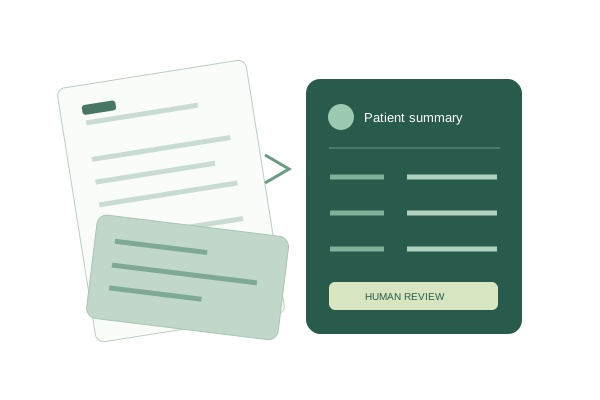
Healthcare Intake turns fictional intake forms and insurance documents into an editable patient summary. It combines a universal document parser with source tracking and explicit review of conflicting information.
AT A GLANCE
The project bio.
Purpose. Decisions. Evidence.
- 01 Goal
- Demonstrate how scattered paperwork can become structured, reviewable information with less manual re-entry.
- 02 Technologies
- Python, Flask, Pydantic, and Gemini; Pillow and PyMuPDF for document preparation; browser-native HTML, CSS, and JavaScript.
- 03 Development approach
- Adapt an existing universal parser, build a focused browser workflow, and refine it through synthetic-document tests and desktop/phone checks.
- 04 Technical approach
- The parser extracts fields and tables into a validated structure. A separate assembly layer maps known patient fields, tracks sources, and holds mismatches for review.
- 05 Programming style
- Python data models and processing functions; functional JavaScript mapping rules; event-driven browser controls with separate review state.
- 06 Testing
- File limits, consent gates, provider-error handling, identity differences, conflicting fields, review resets, saved-summary reopening, and export-content checks.
- 07 Security measures
- Consent before AI processing, bounded uploads, request limits, and in-memory source handling. Saved summaries stay in the visitor’s browser without source files.
- 08 Status
- Public working demo for synthetic documents, with live extraction, editable summaries, browser-local saving, and JSON/CSV export options.
A WORKFLOW IN FOCUS
Extract the information.
Keep the context.
Several documents can contribute to one summary. Source labels remain visible, and different patient names or dates of birth are held instead of being silently merged.
- 01
Select & extract
Choose fictional documents and consent to sending them to Gemini for extraction.
- 02
Compare & resolve
Check fields against their sources. Resolve differences or exclude a document.
- 03
Review & save
Confirm the summary is reviewed, then save locally or inspect export content.
Checked with fictional patient records. Recorded browser tests assembled intake and insurance data, held a conflicting allergy, excluded a different patient, and reopened a saved summary after reloading.
THE REVIEW LAYER
Useful automation.
Visible decisions.
- Keep the source attached.Fields retain document references, so reviewers can see where a value came from.
- Make differences explicit.Conflicting values require a decision. Saving stays blocked until differences are resolved and review is confirmed.
- Review follows the record.Editing a field clears its reviewed status. Export content includes review metadata and conflict history.